Skip to content
Product

Every question your team asks. Answered in the chat.

Type a command, or a short phrase we turn into one. An analysis goes to ask only after you confirm. Reports you can forward, from the systems you already use.

Two ways it works.

Movement 1 · Push

It tells you.

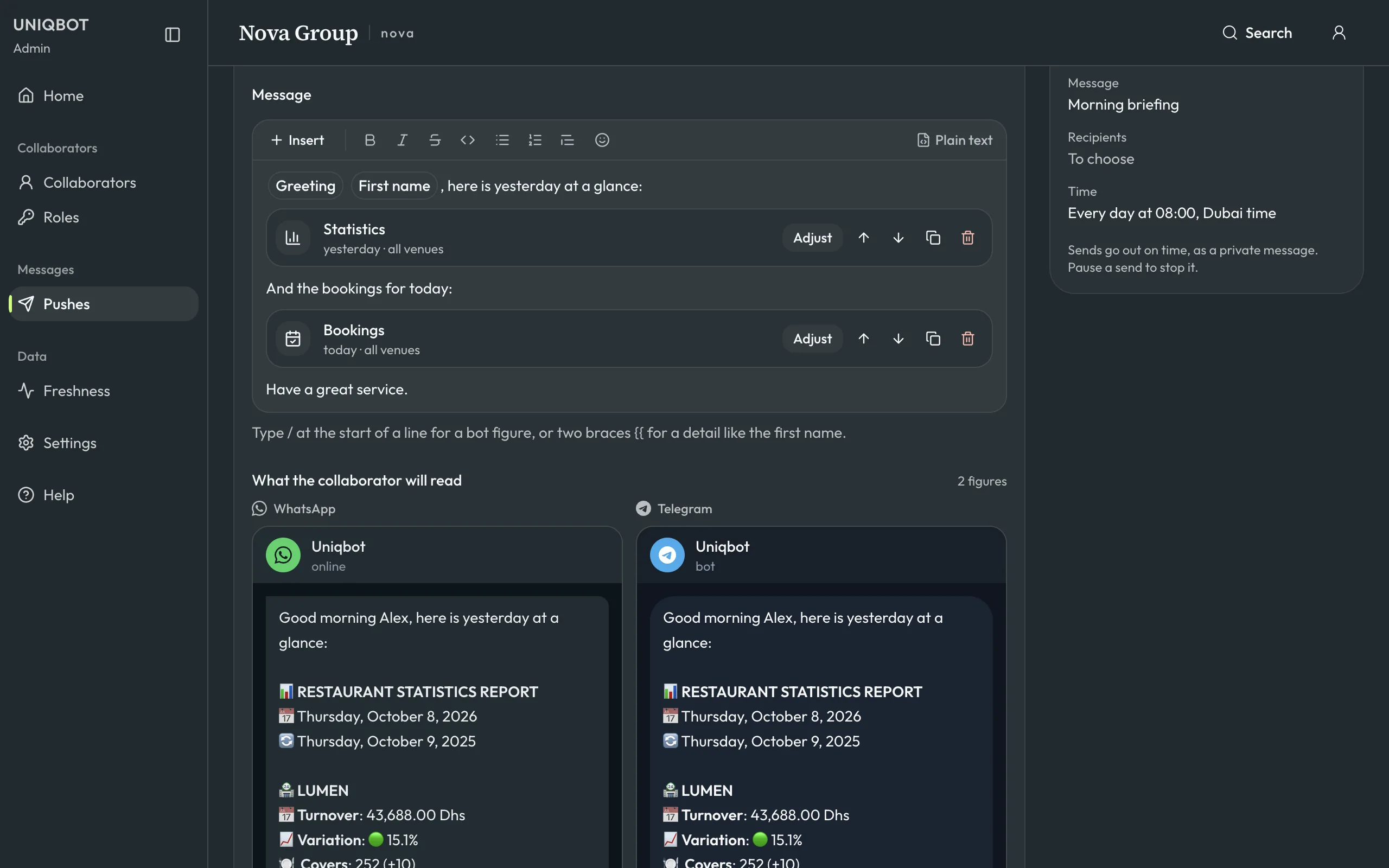
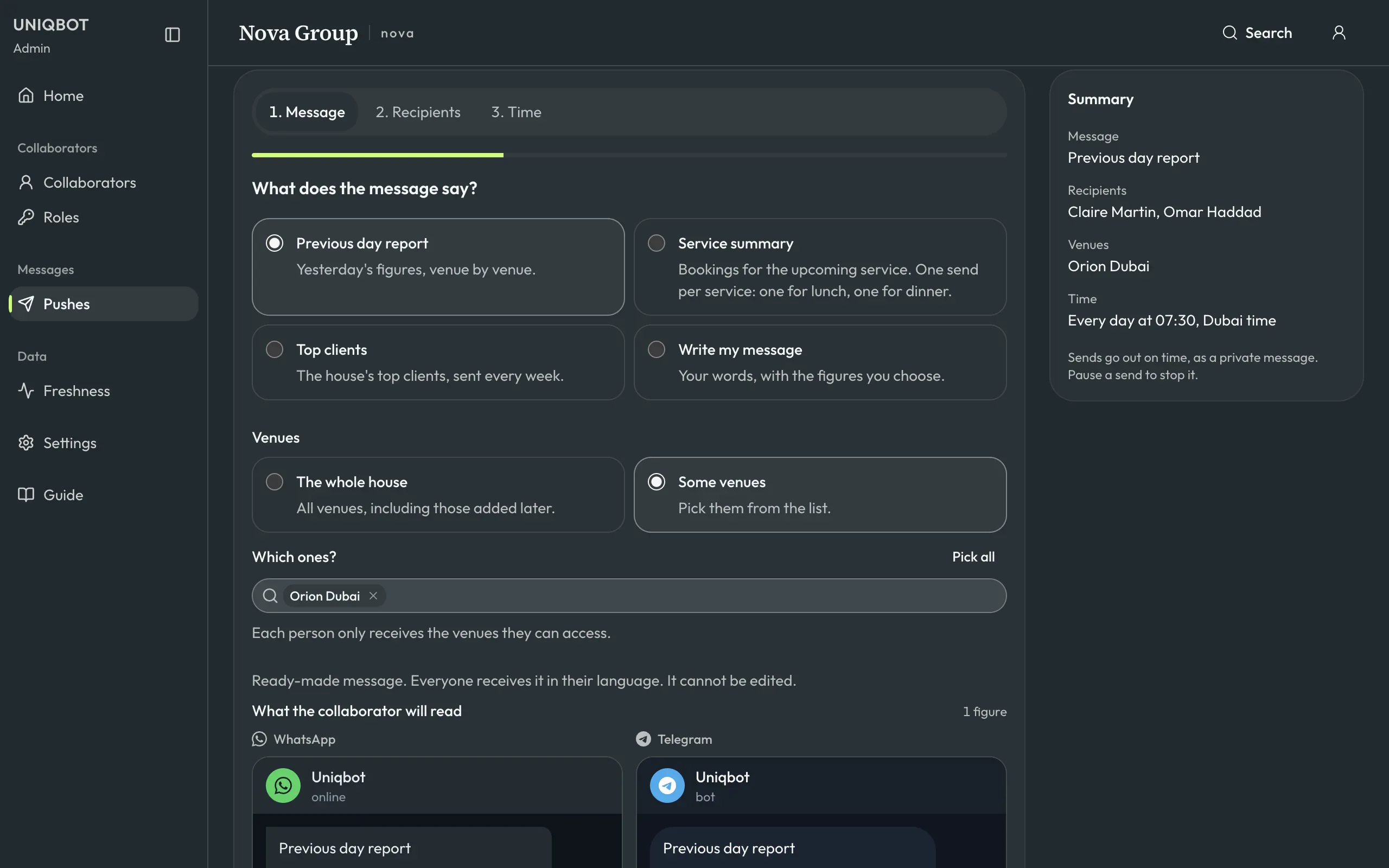
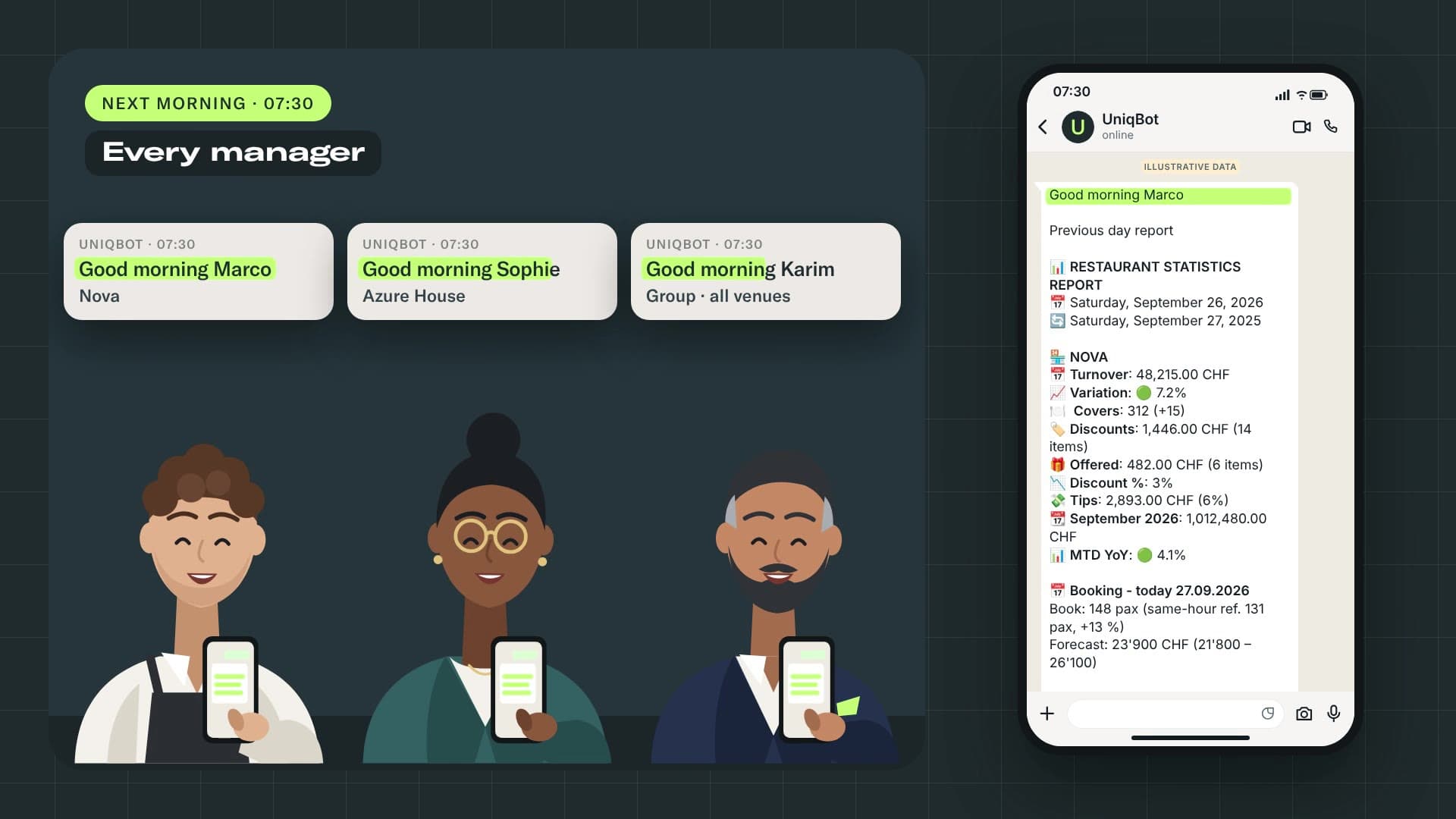
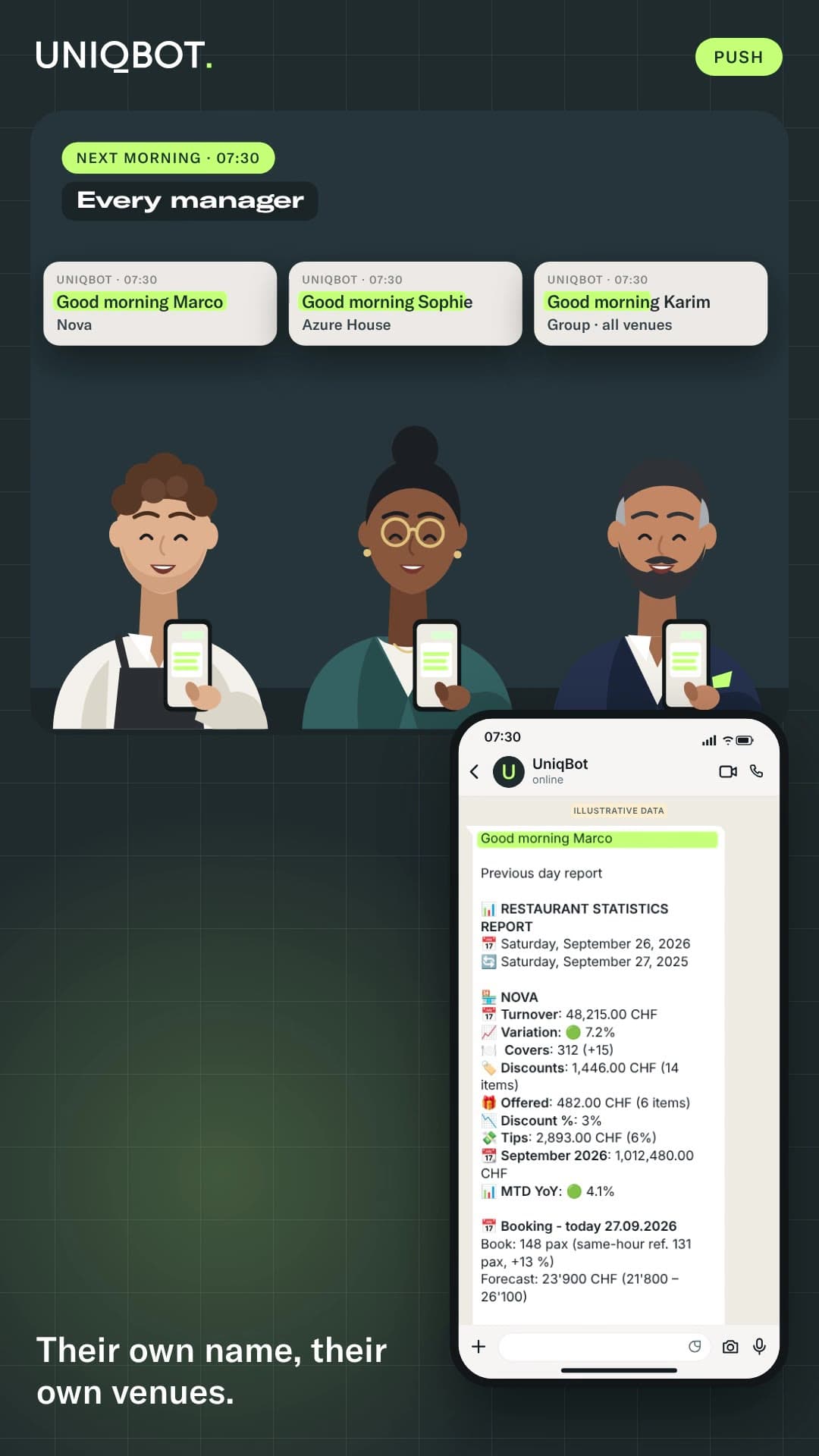
The morning report arrives at the time you set, for the people you choose. Each person picks the reports, venues and times that matter to them.

Film · 18 s
Movement 2 · Ask

You ask.

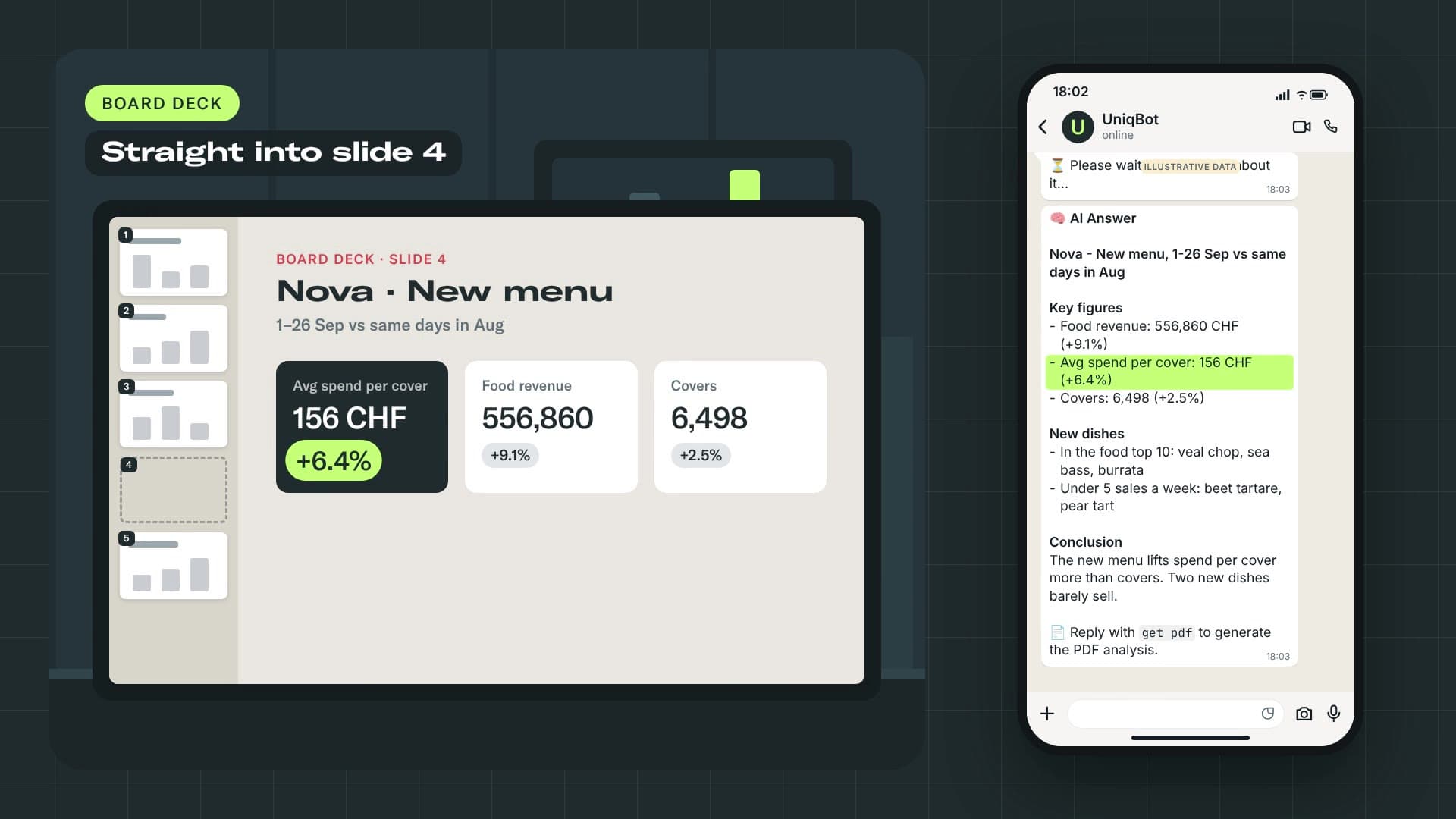
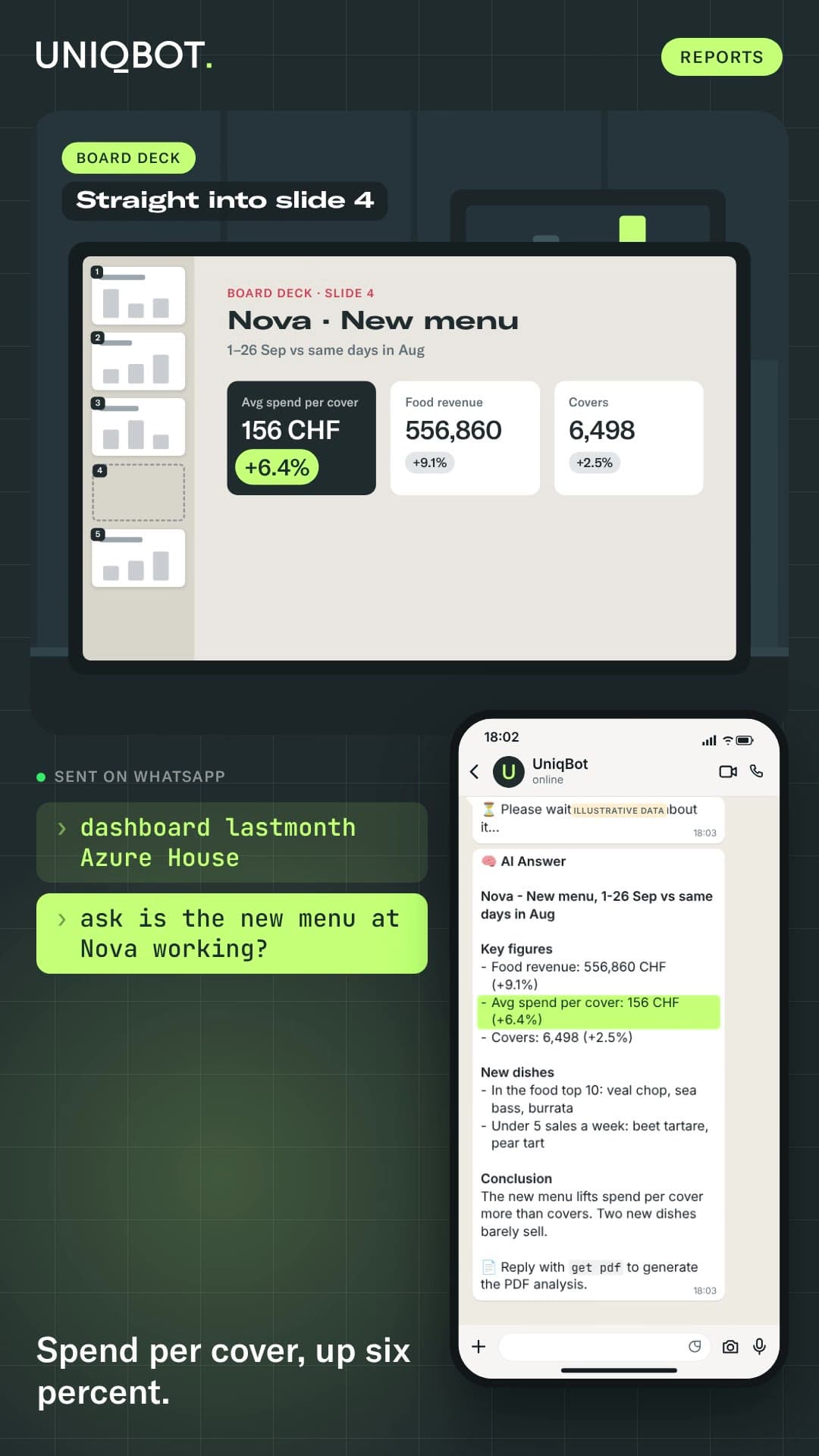
Type a command for a figure. An everyday phrase, such as yesterday's sales, is read as that command, with no AI. A real analysis is offered to the ask command, and sent only if you say yes. Add get pdf and the answer becomes a report you can send to the owner.

Film · 52 s

A day with UniqBot

  1. 07:00Daily report
  2. 11:30Lunch reservations
  3. 12:45Live figures
  4. 18:30Guest preparation
  5. 23:45End-of-service brief
The commands

Five core families. Modules when you need them.

01

Today

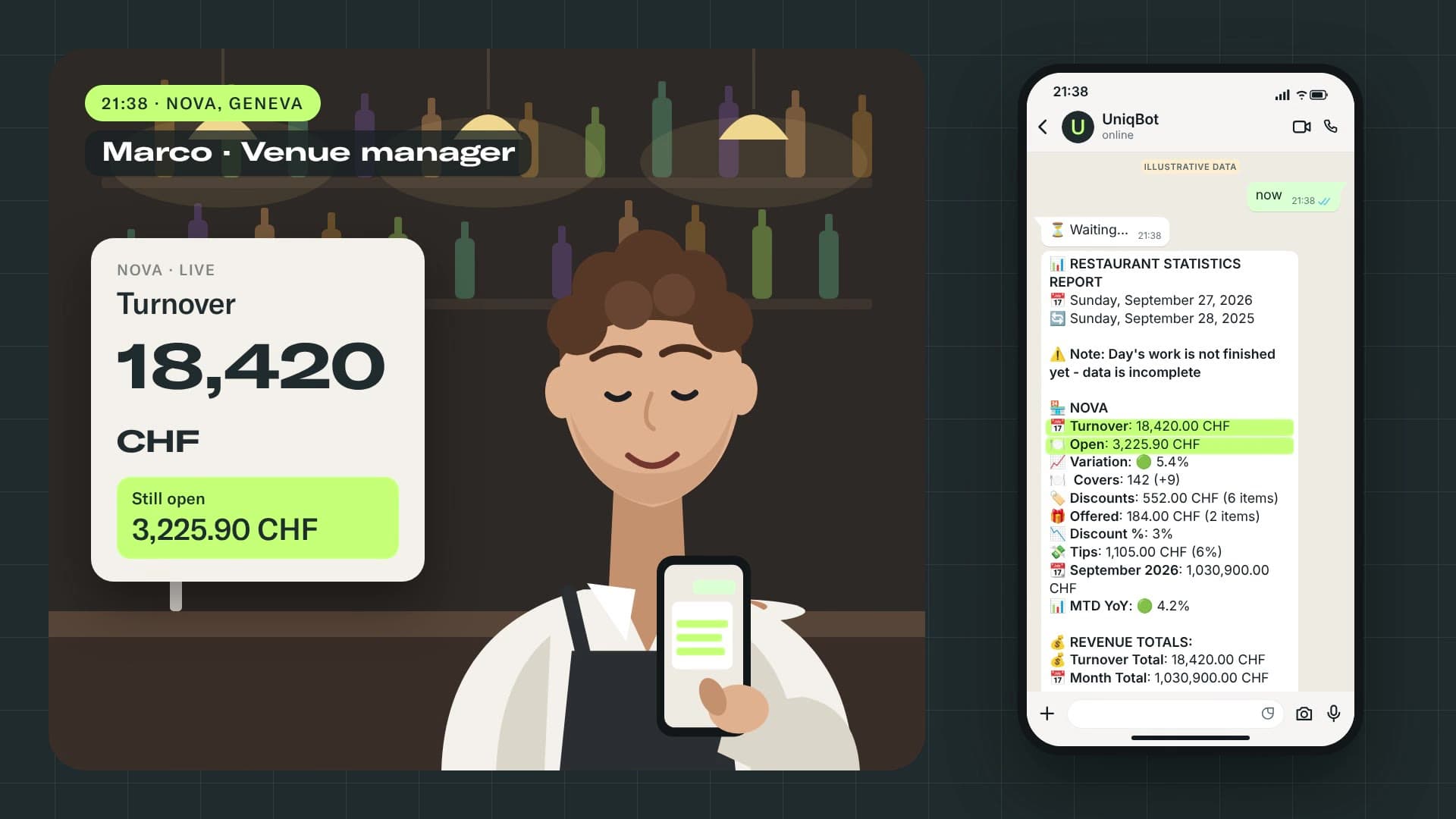
Live figures for a venue, the group across currencies, any day vs last year, and what is on a table right now.

groupstat
Film · 18 s
Illustrative data
stat yesterday Nova
⏳ Waiting...
📊 RESTAURANT STATISTICS REPORT📅 Saturday, September 26, 2026🔄 Saturday, September 27, 2025 🏪 NOVA📅 Turnover: 48,215.00 CHF📈 Variation: 🟢 7.2%🍽️ Covers: 312 (+15)...

Good to know: group consolidates every venue in your scope. stat always compares with the same weekday last year.
03

Reports

A confirmed question to ask, a PDF report, the data as Excel, a dashboard as a link or a PDF.

dataset
Film · 20 s
Illustrative data
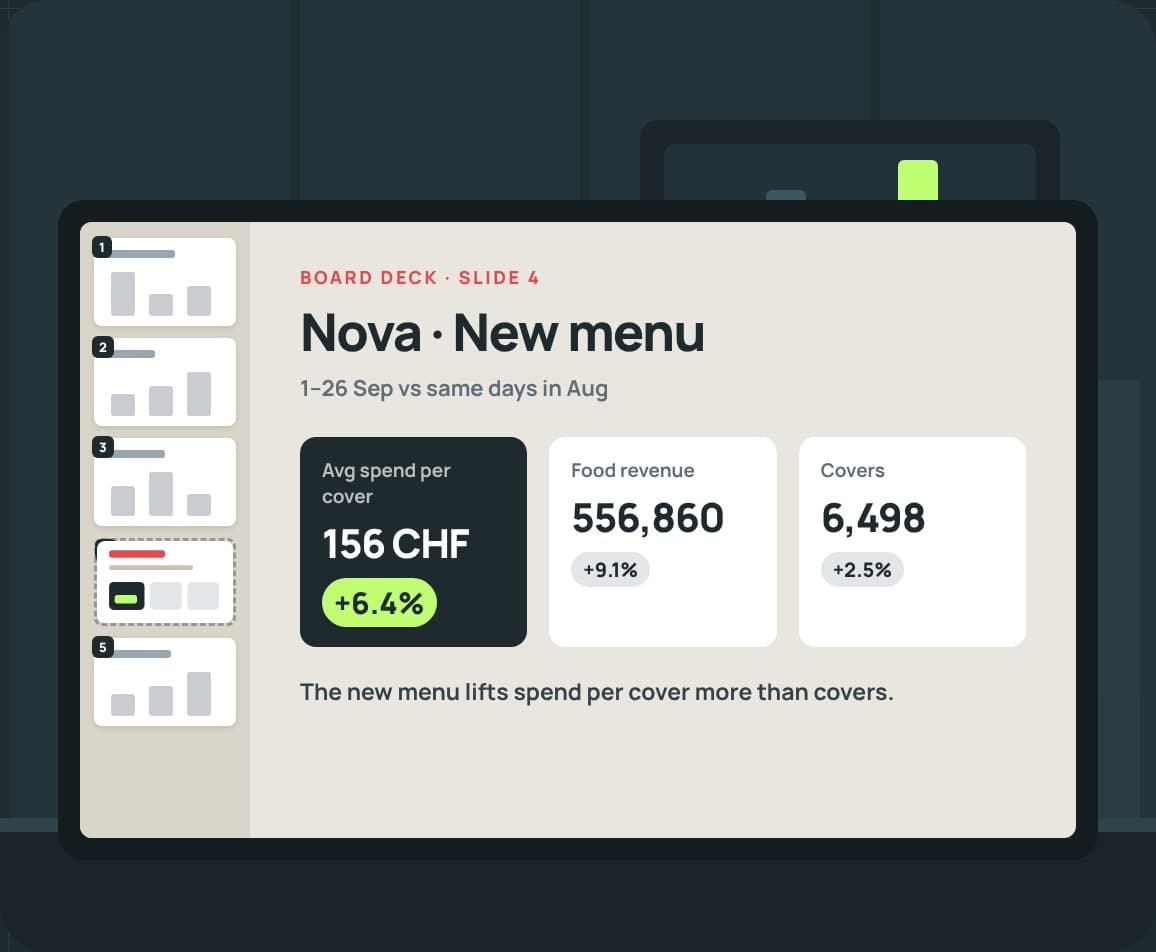
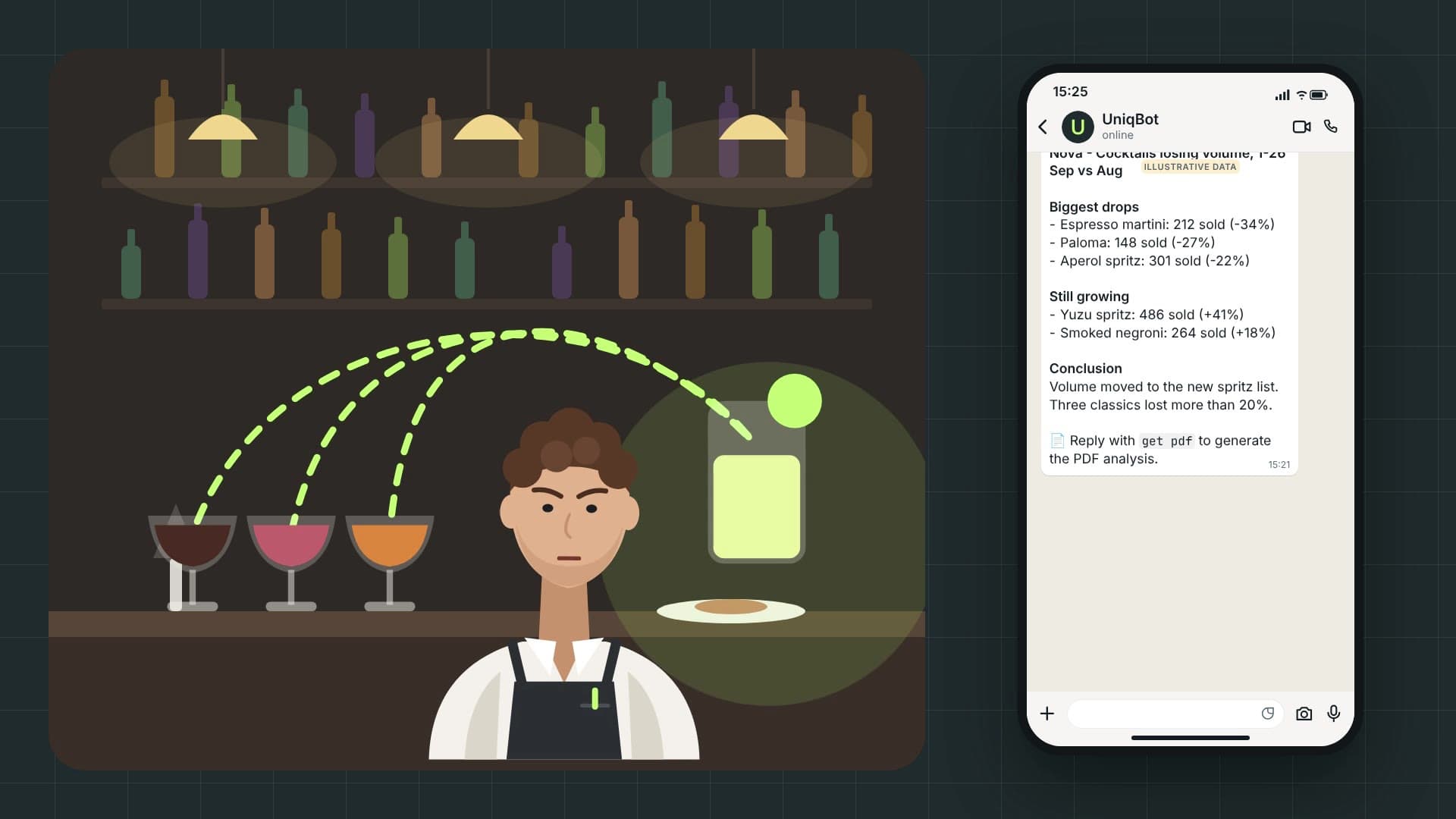
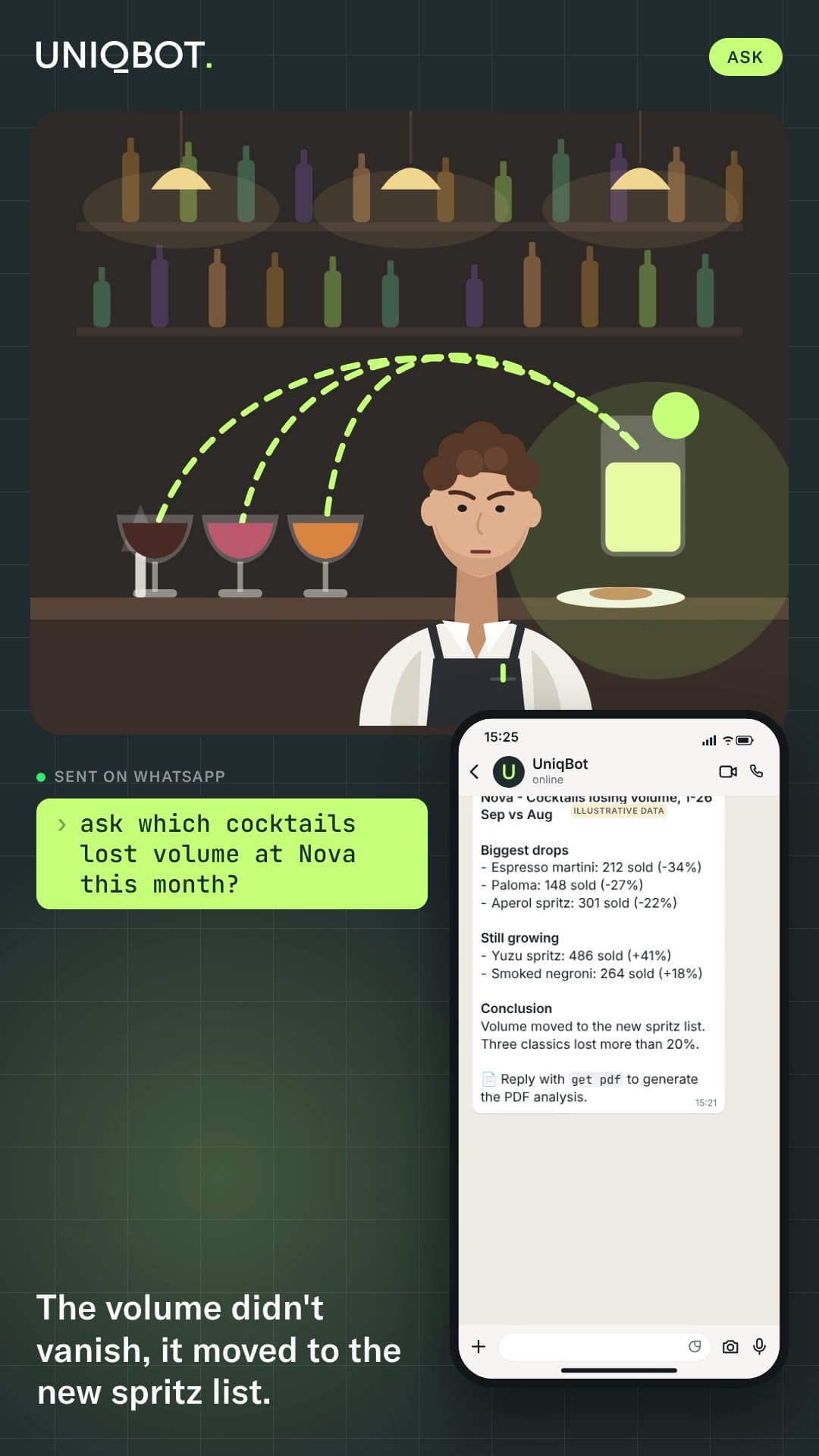
ask which cocktails lost volume at Nova this month?
⏳ Please wait, I am thinking about it...
🧠 AI Answer Nova - Cocktails losing volume, 1-26 Sep vs Aug Biggest drops-Espresso martini: 212 sold (-34%)-Paloma: 148 sold (-27%)-Aperol spritz: 301 sold (-22%)...

Good to know: $5 of AI per venue a month included, then your own key.

04

Briefs

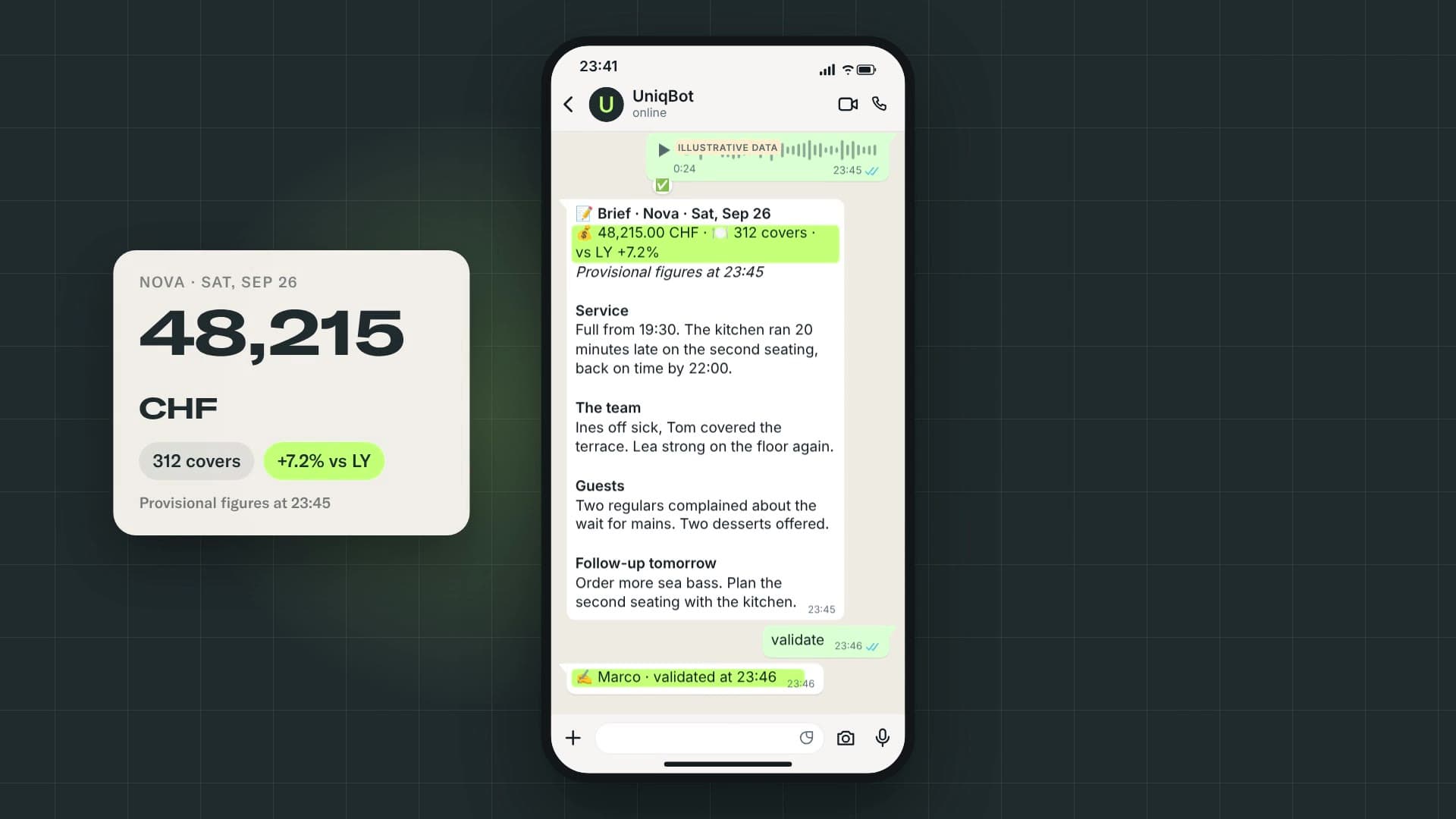
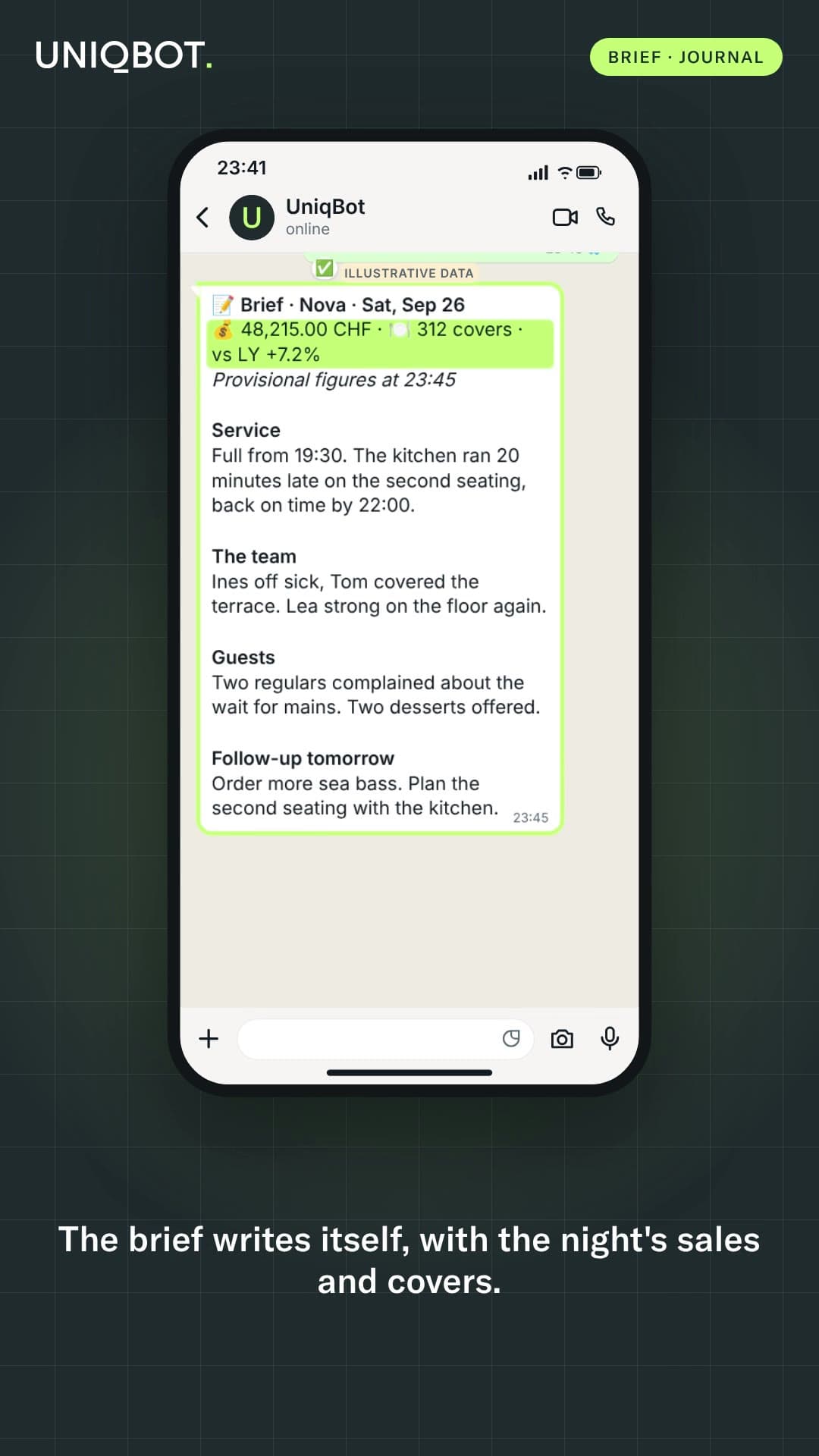
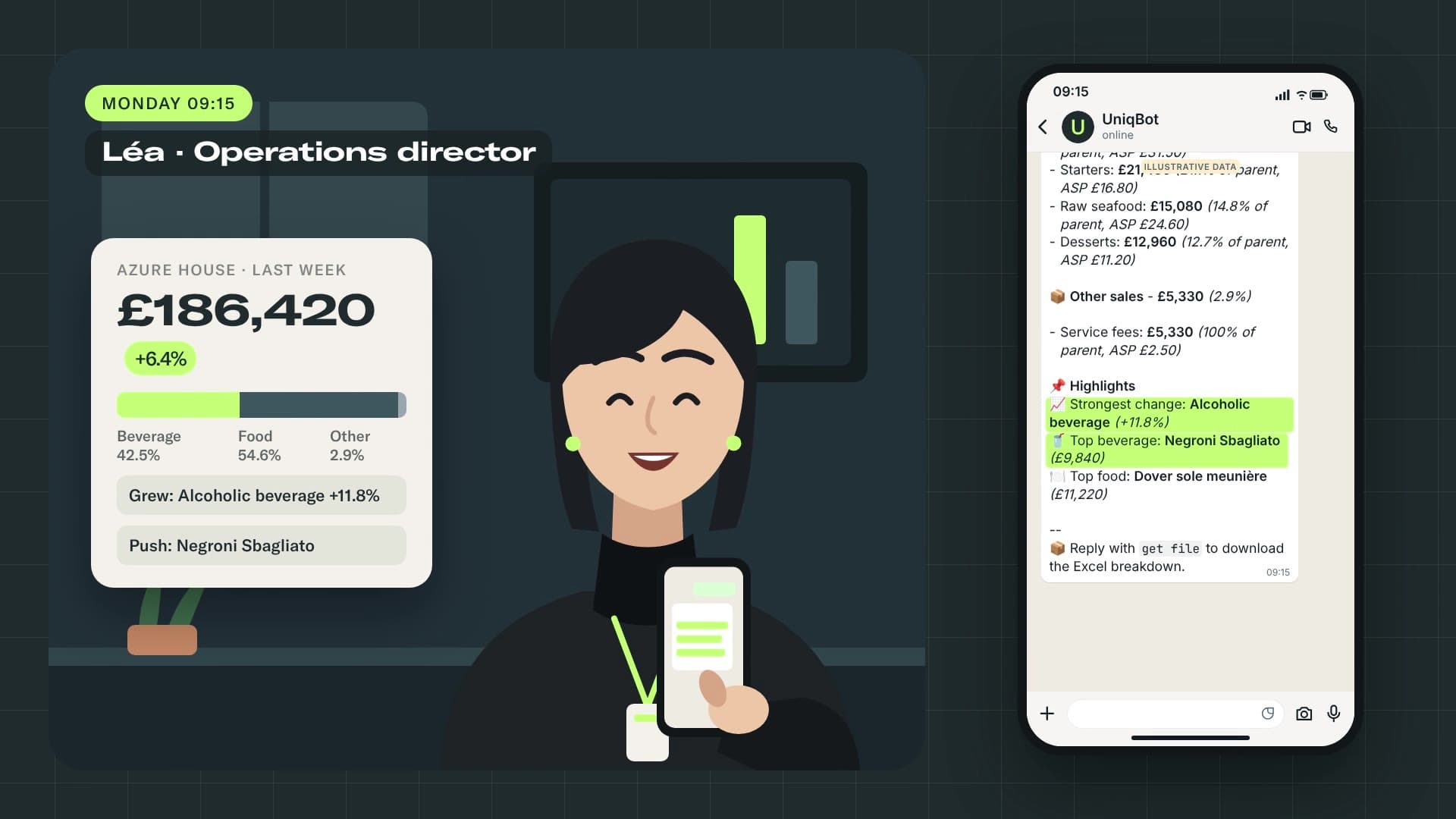
Dictate the night's debrief by voice or text. Read every venue's brief the next morning, or a week and month summary.

Film · 22 s
Illustrative data
journal group
📔 Journal · Sat, Sep 26 Azure HouseStrong Saturday, +12% on last year. Bar three deep from 22:00 with one bartender short. The new spritz list sells fast.journal AZH for the full brief Maison CedarQuiet night, 14 covers down on last year. Terrace closed for rain. Two staff off, service held....
journal week
✍️ Preparing the summary…
📔 Week · 4 venues · Sun, Sep 20 → Sat, Sep 26 Recurring-Second seatings running late: Nova 3 nights out of 6, Maison Cedar twice.-Azure House bar short-staffed on Friday and Saturday. Going well-The new spritz list, praised at Azure House and Nova....

Good to know: Numbers tell you what. The brief tells you why. Figures come from your systems; the words stay the manager's.

05

Control

Rule-based alerts on unusual voids, refunds and discounts.

Film · 19 s
Illustrative data
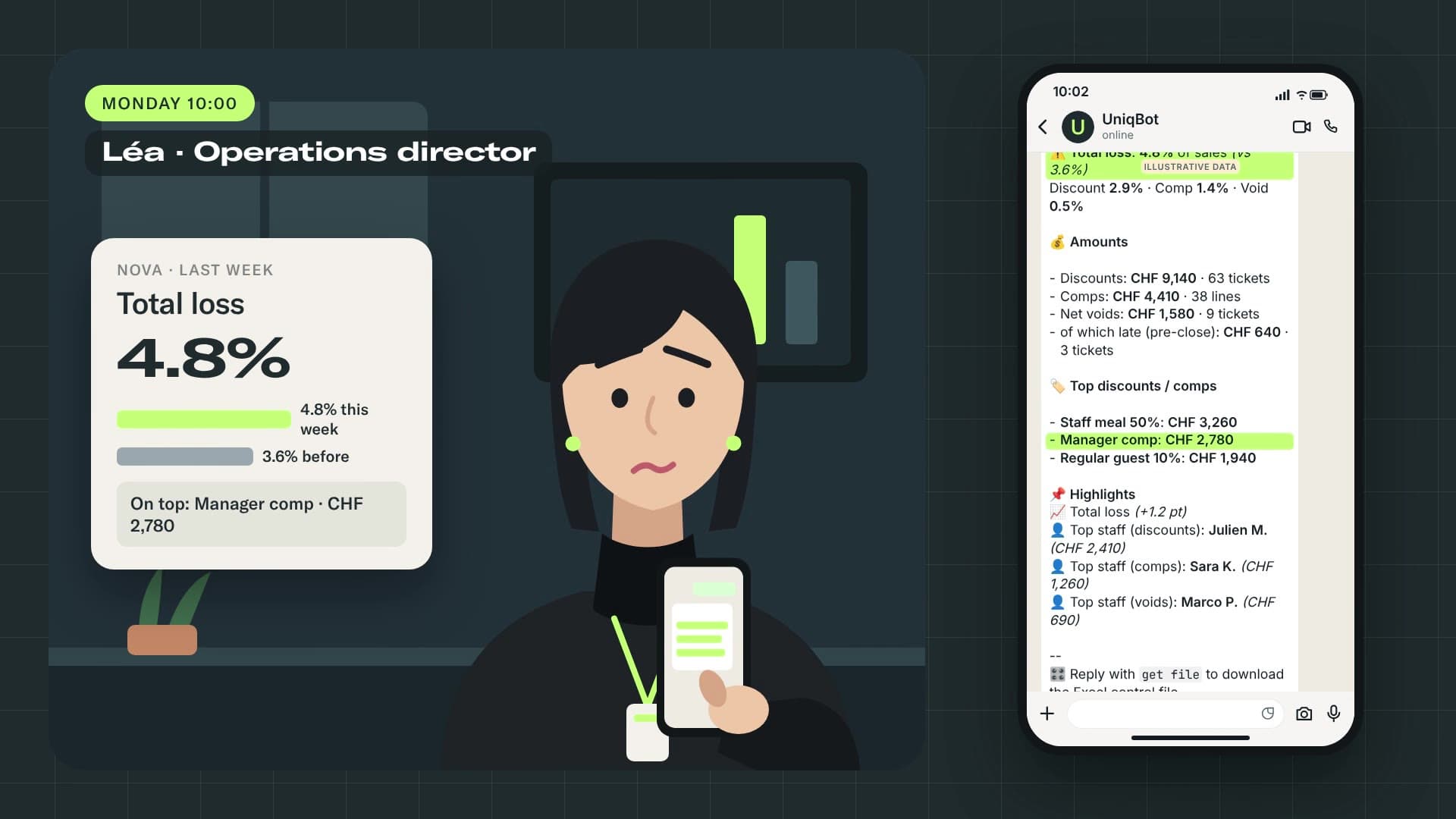
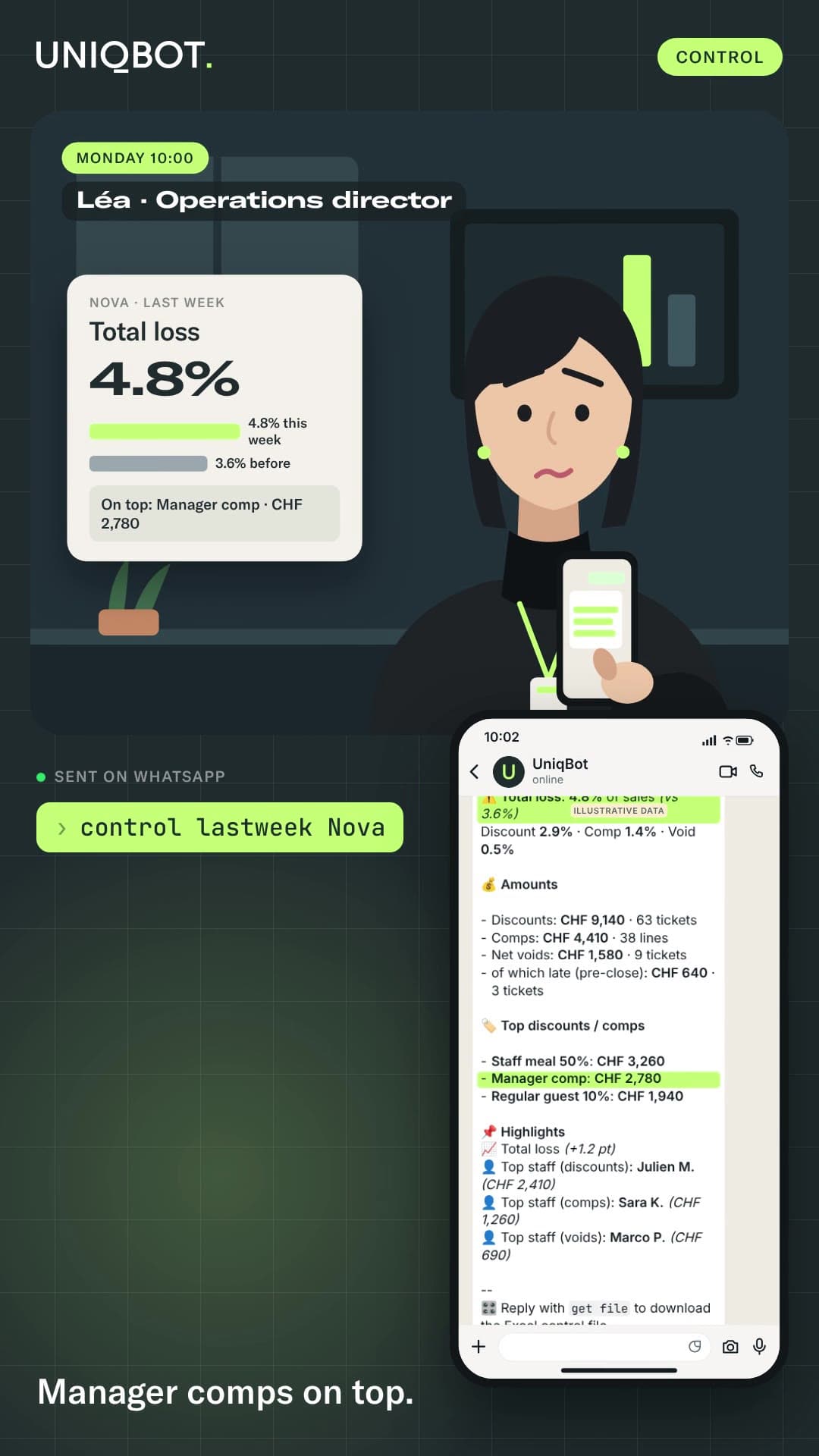
control lastweek Nova
⏳ Generating discount & comps control report for Nova (lastweek)...
🎛️ Discount control - Nova - Last weekvs 2026-09-07 -> 2026-09-13 ⚠️ Total loss: 4.8% of sales (vs 3.6%)Discount 2.9% · Comp 1.4% · Void 0.5% 💰 Amounts...

Good to know: it flags, it never accuses.

06

Reservations

Module · $19

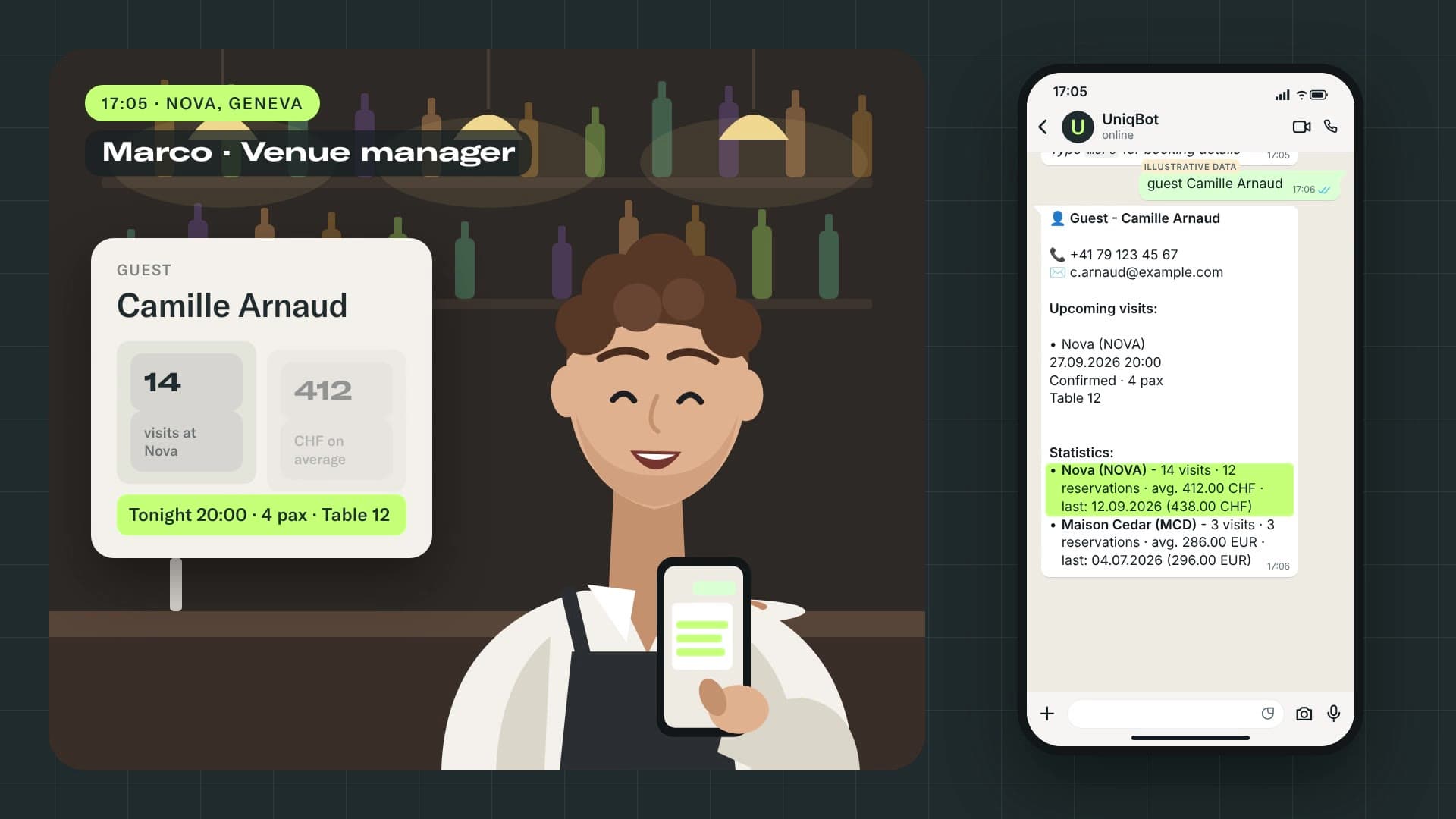
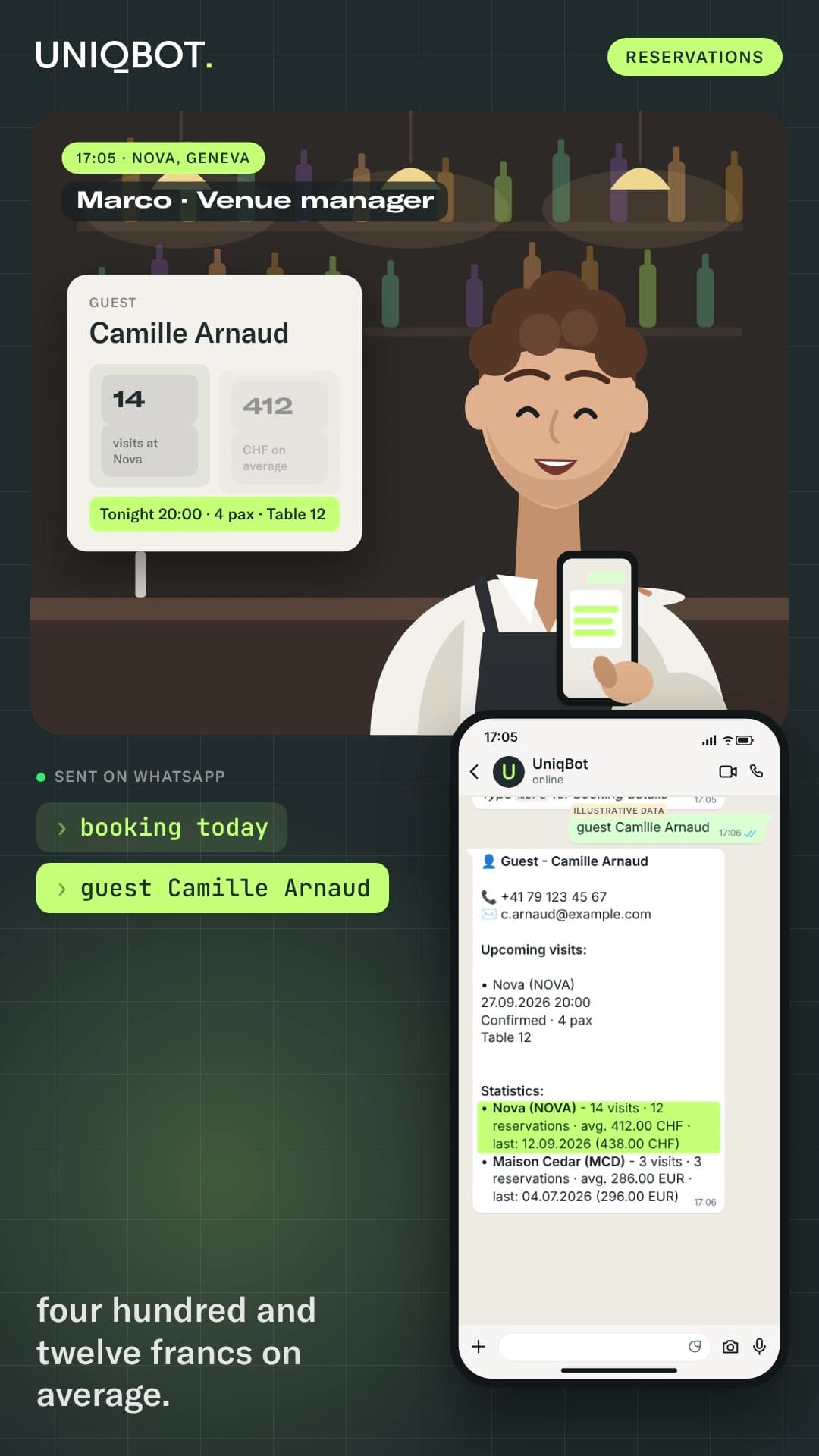
Covers by time slot, tonight and ahead, a guest's visits and spend, your key guests.

best guests
Film · 18 s
Illustrative data
booking today Nova
⏳ Waiting...
📅 Booking - today 27.09.2026 🏪 NovaBook: 148 pax (same-hour ref. 131 pax, +13 %)lunch: 46 pax | dinner: 102 paxAvg landing: 164 paxForecast: 23'900 CHF (21'800 – 26'100)Slots:...

Good to know: guest names only reach the roles allowed to see them.

07

Cameras

Module · quote

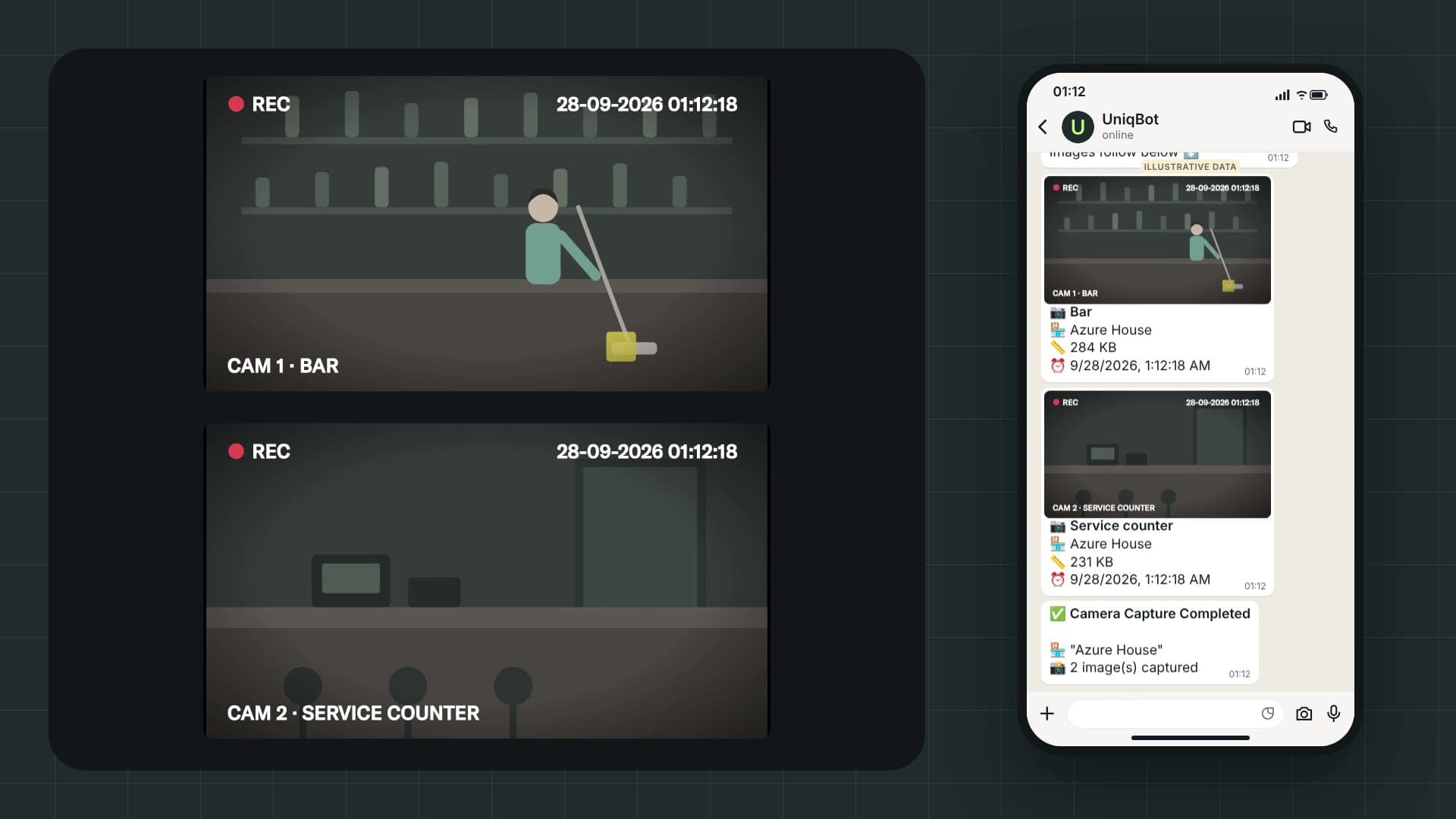
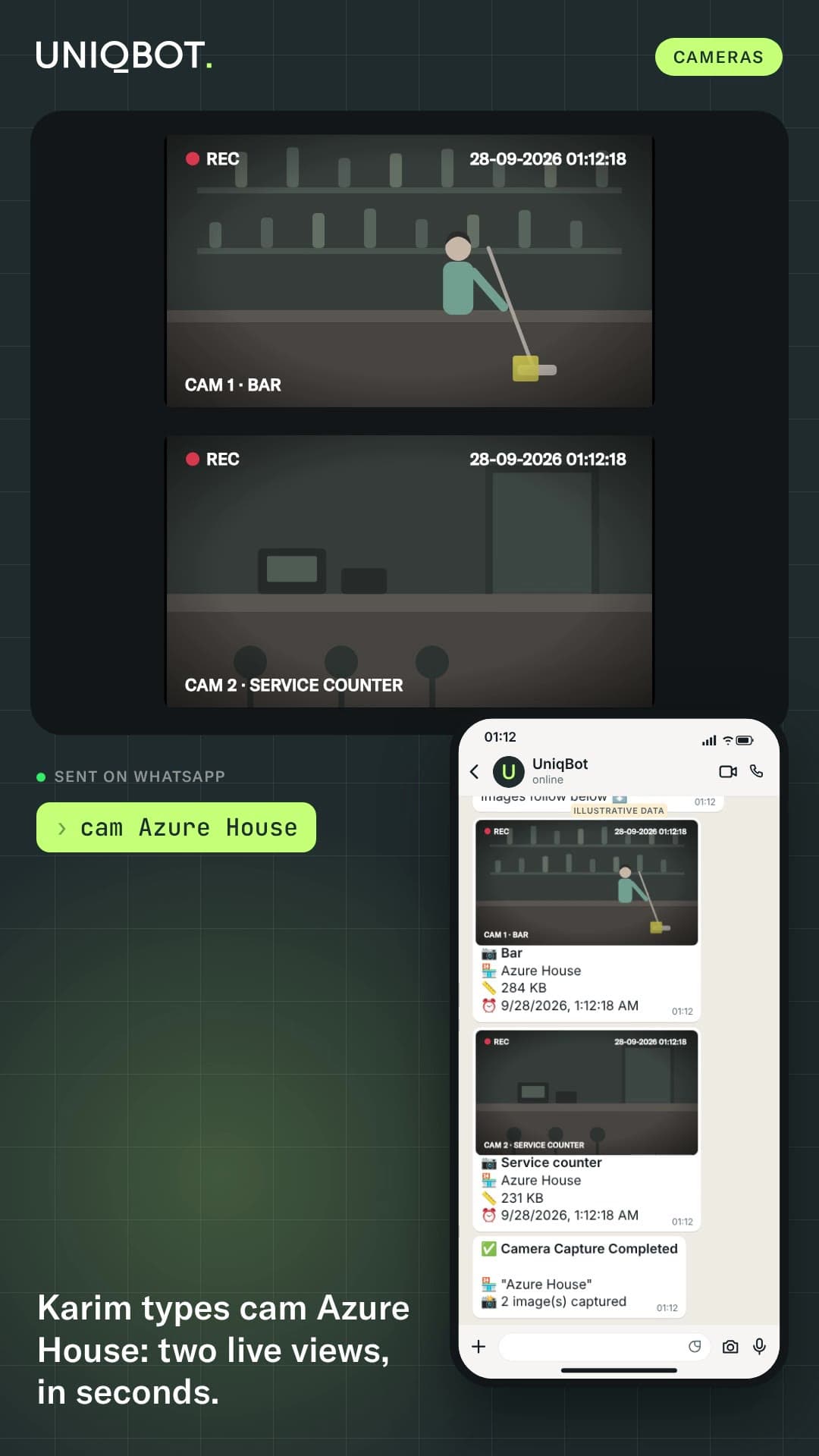
Live views from your venue cameras.

Film · 16 s
Illustrative data
cam Azure House
⏳ Waiting...
📹 Camera Capture Taking snapshots for "Azure House"...
📹 Camera Snapshots - Azure House📅 9/27/2026, 8:42:18 PM 📸 2 camera(s) captured Images follow below ⬇️
Camera snapshot: the bar at Azure House📷 Bar🏪 Azure House📏 284 KB⏰ 9/27/2026, 8:42:18 PM
Camera snapshot: the service counter at Azure House📷 Service counter🏪 Azure House📏 231 KB⏰ 9/27/2026, 8:42:18 PM
✅ Camera Capture Completed 🏪 "Azure House"📸 2 image(s) captured

Good to know: only for the people allowed to ask.

  • Control Pro

    Coming soon · $19

    Control Pro reads every ticket overnight and flags the few that deserve a second look.

    • 50+ patterns on every ticket, every night, across all your venues.
    • Each flag scored by severity, with the evidence: what happened, when, who touched the ticket.
    • Each person compared with their own team on the same site: unusual here, not above an arbitrary threshold.
    • A clear report that highlights the anomalies, for your managers to review and follow up as they see fit.

    Control Pro needs line-level and payment events from your POS. We confirm coverage for your system during onboarding.

    Get early access

    What it looks at · a few of the 50+ patterns

    Voids and cancellations
    Items removed after the bill was printed, voids after payment.
    Discounts and offered items
    Comps with no approval, 100% discounts added late.
    Tips
    Tips far above the norm, tips adjusted after payment.
    Prices and open items
    Prices lowered by hand, open items used as placeholders.
    Payments
    Unusual split payments, cash share far above the team.
    Timing and ownership
    Activity outside service hours, tickets handed over before payment.
    Team patterns
    The same person involved in many flagged tickets.

    Control Pro questions

    No. It flags unusual tickets for a manager to review. People decide.

    Coming soon. Tell us your POS and we will confirm coverage. Groups on a free trial can ask to be among the first to switch it on.

Reports

From a question to a report you can forward.

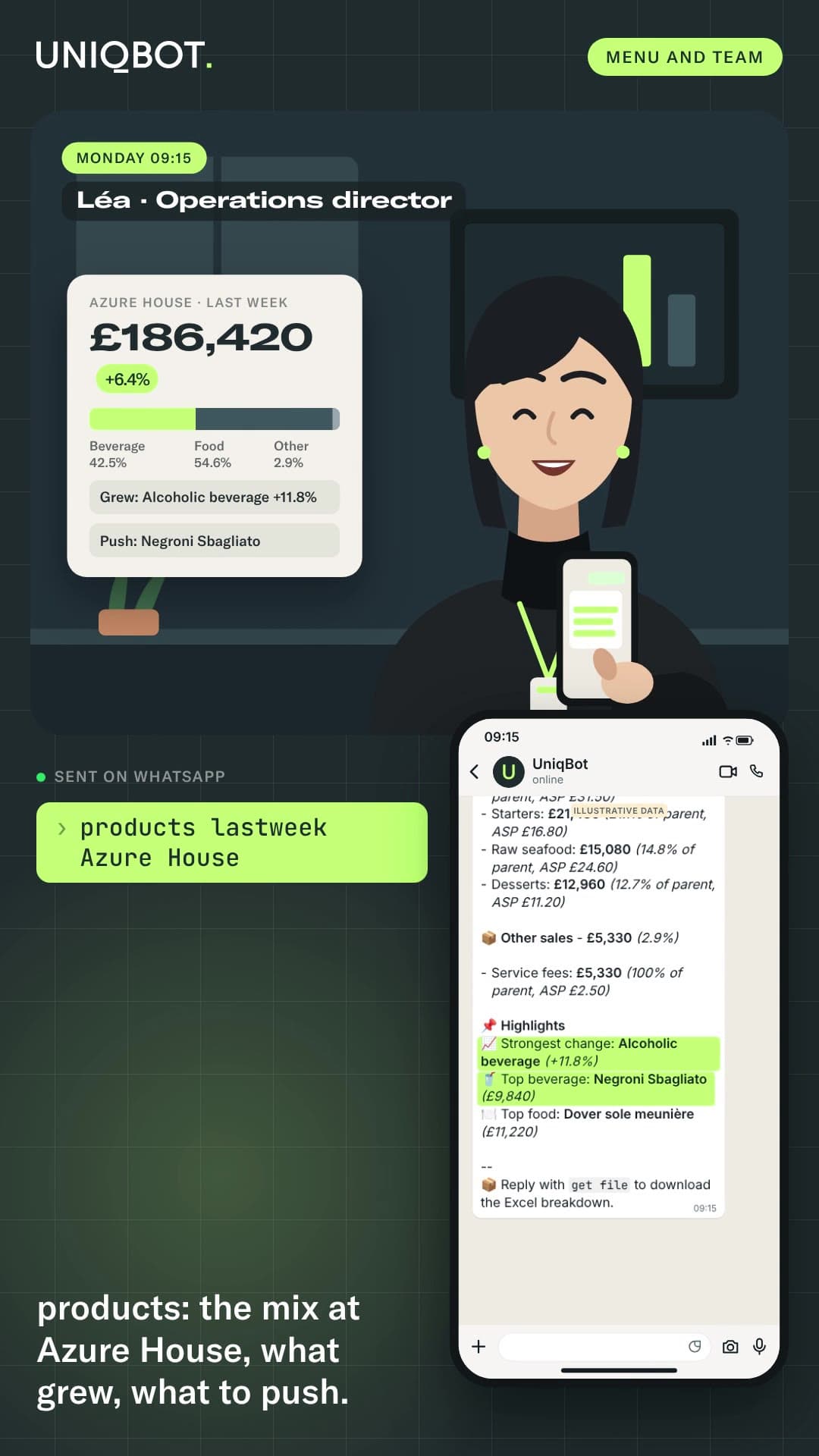
Ask, refine, then type get pdf. UniqBot writes the analysis, the tables and the charts, on your own data.

Illustrative data
How answers are built

Your numbers, fresh, with the time they were read.

  1. From your systemsPOS, bookings, property, cameras. Nothing to re-enter.
  2. Refreshed all dayEvery night for the full day, every few minutes during service.
  3. Consultation onlyEach answer shows its freshness. No order, reservation or POS changes, ever.
The backoffice

Who gets what, and when.

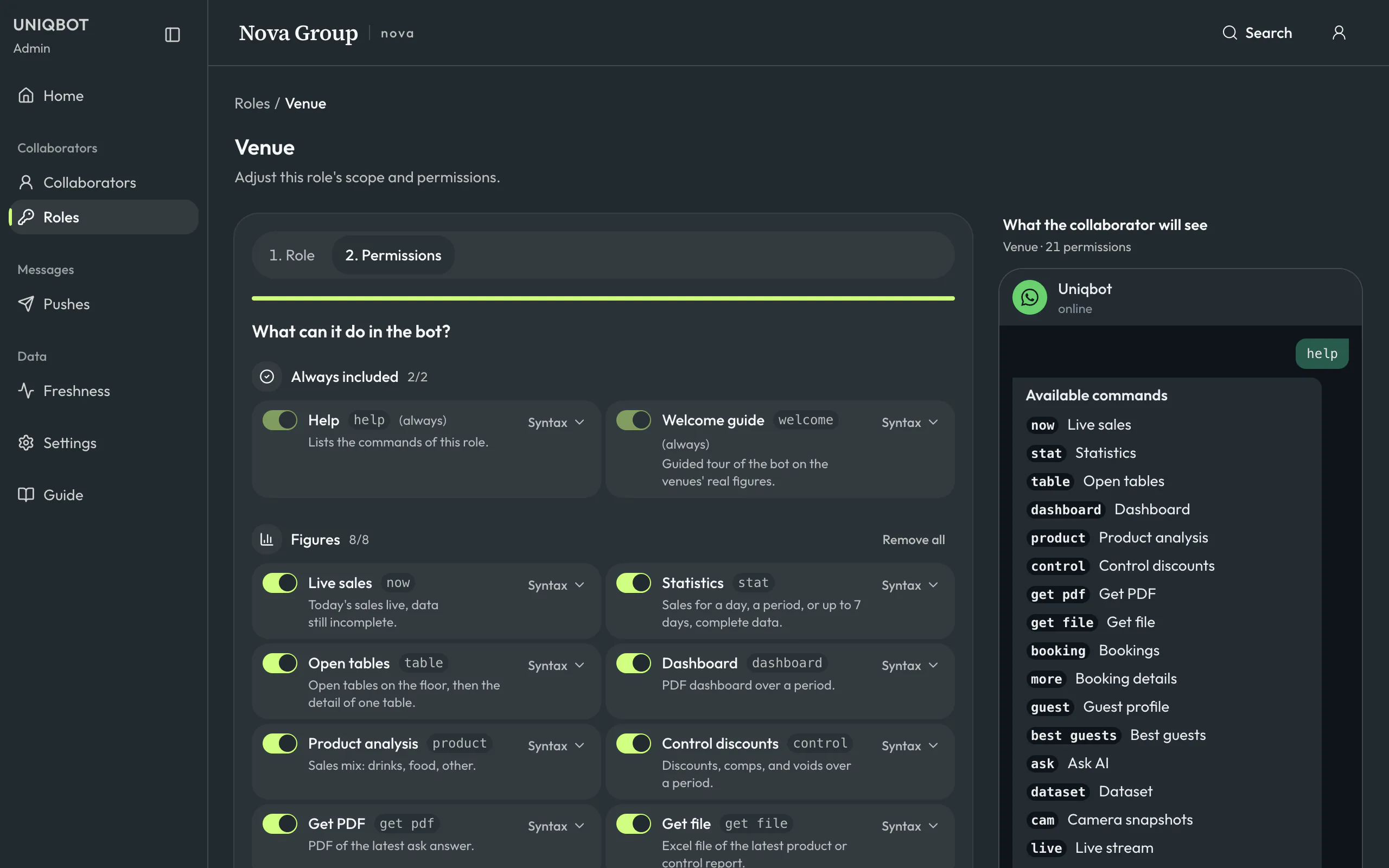
Running the bot for a whole group happens in one place: who is on it, what each person sees, what they receive and at what time. On your phone or your laptop.

Film · 38 s
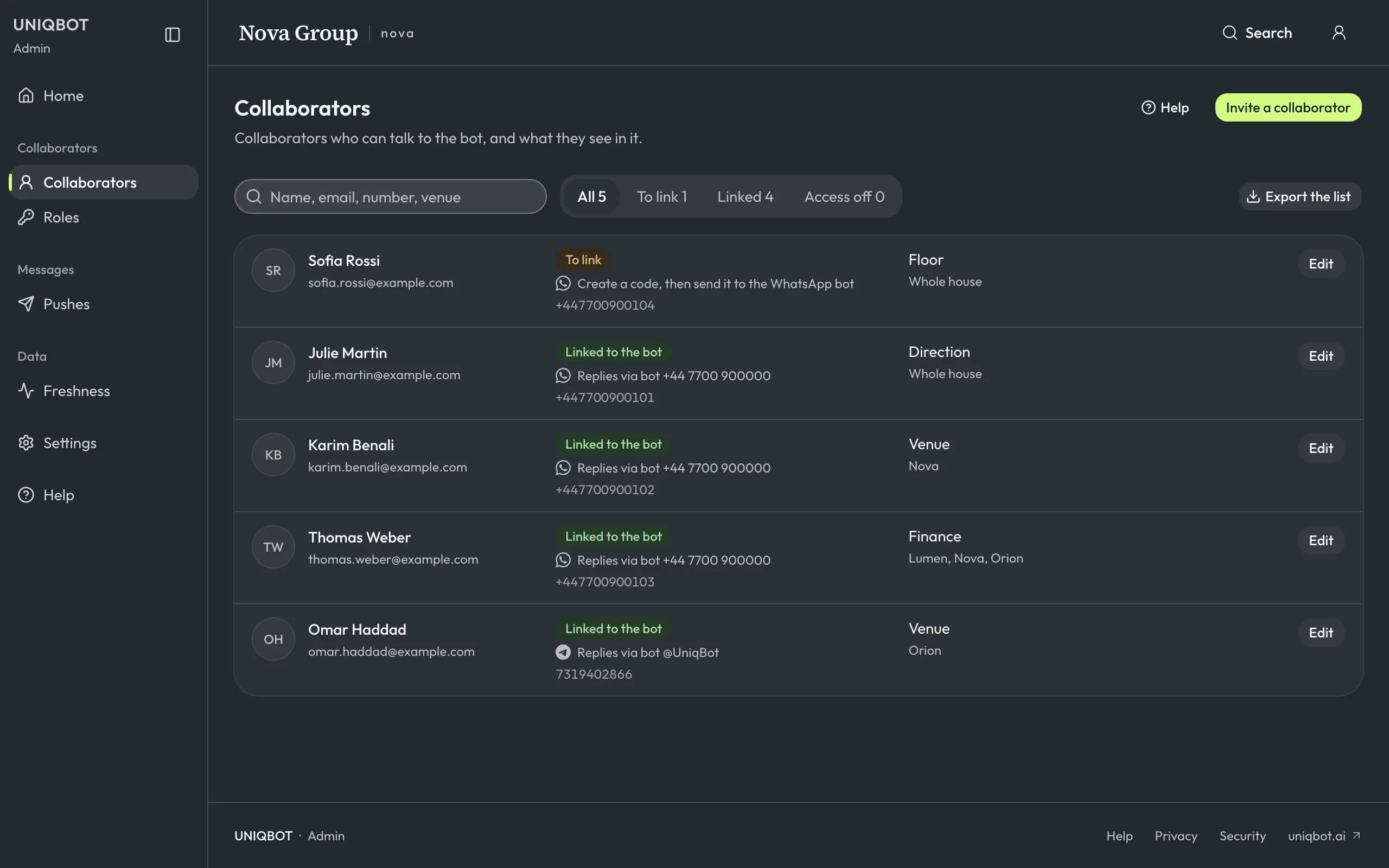
Invite a manager in a minute

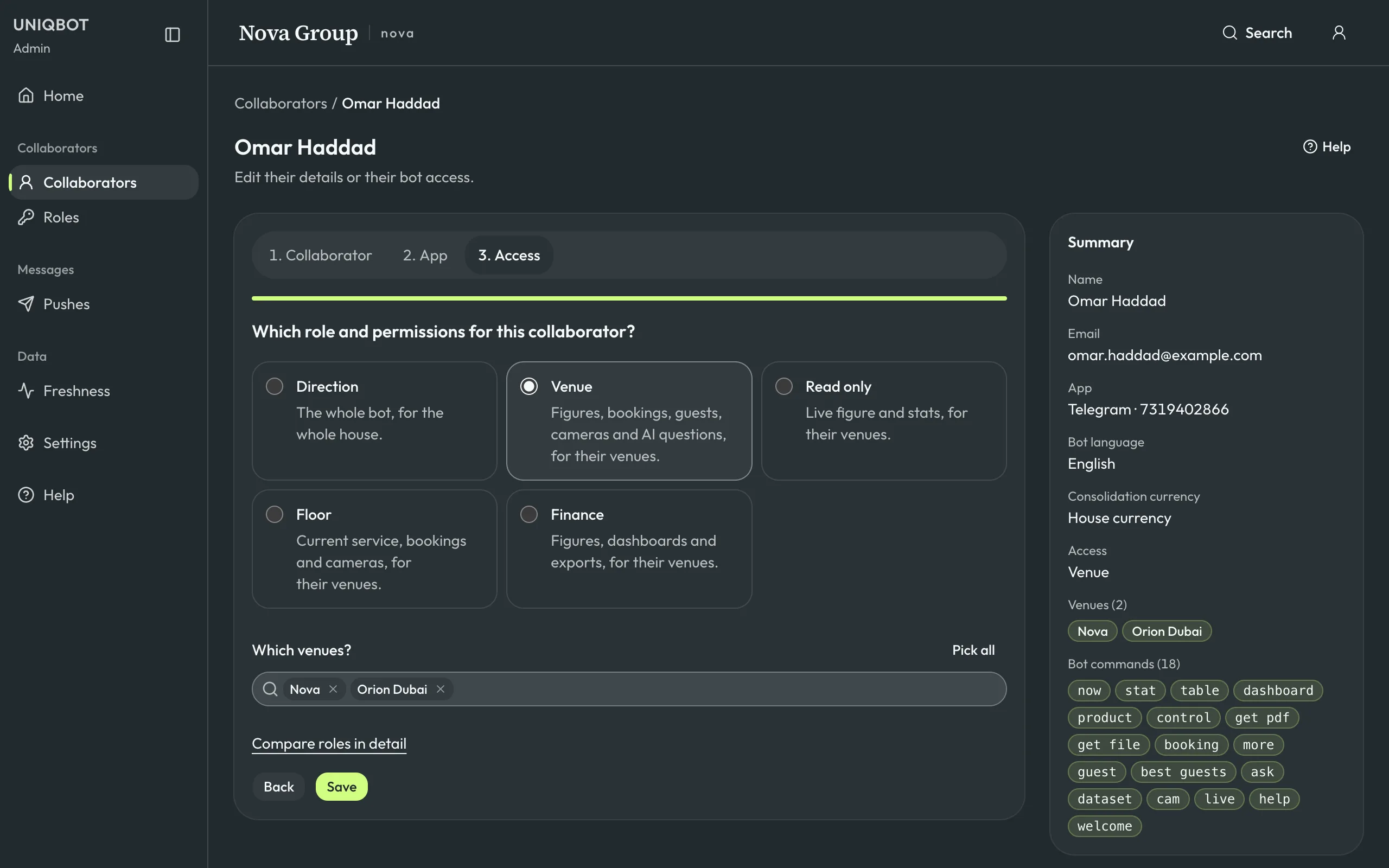
Everyone who talks to the bot, in one list: their role, their venues, and whether they are linked on WhatsApp, Telegram or Slack. Invite a manager in a few seconds, see at a glance who still has to link.

The UniqBot backoffice listing five collaborators of the group: name and email, link to the bot on WhatsApp, Telegram or Slack, role and venues for each, with filters for people still to link and a button to invite a collaborator.
Real screens · fictional group, invented figures
Activity

How your team uses the bot.

Activity, in the backoffice, shows the bot's use by collaborator and by command: requests per day, busy hours, refusals, response times, and who has not asked anything lately. An everyday phrase is stored as the command it became. With content kept, open a request to check what the bot replied.

What you decide

Three levels
Usage and content, usage only (command, time, status and response time, no text), or anonymous counts. Usage only by default.
Your database only
Kept for 30, 90 or 180 days, or a year, as you choose. 90 days by default.
Text for the people you name
Only the backoffice accounts you choose can read questions and answers. Each reading goes to the audit log.
Your team is told
A message from the bot tells each collaborator what is kept, and for how long.
The UniqBot backoffice showing the bot's activity over 30 days: requests, active collaborators, response time, requests per day, the most used commands and the collaborators to follow up.
Real screens · fictional group, invented figures

Activity questions

By default, they see usage only: which command each person used, when, the status and the response time, without any text. The questions and answers themselves are kept only if you choose so, readable only by the backoffice accounts you name, and each reading is recorded in the audit log. Uniq Project has no access to them.

No. PDF reports, Excel files, dashboards, camera images and the voice notes of briefs are never kept. Activity notes only their type and size.

Yes, if the setting is on: answers disappear from phones after 12 or 24 hours. A copy stays in your database, at the level and for the time you chose.

Try it on your own data. Free for 30 days.